
Please raise your hand if you’ve ever felt personally victimized by PowerPoint.
When you open it up, you’re hit with stark black Calibri font on a white background, killing any creative spark you may have felt. It’s daunting enough to creating a 10-slide deck to report your monthly marketing metrics — never mind putting together a PowerPoint that could be seen by the more than 60 million unique visitors on SlideShare each month.
What do you think to yourself when you see someone’s Twitter avatar is the default image of an egg? Chances are, you probably assume they are either inactive, a fake account, or someone not worth following.
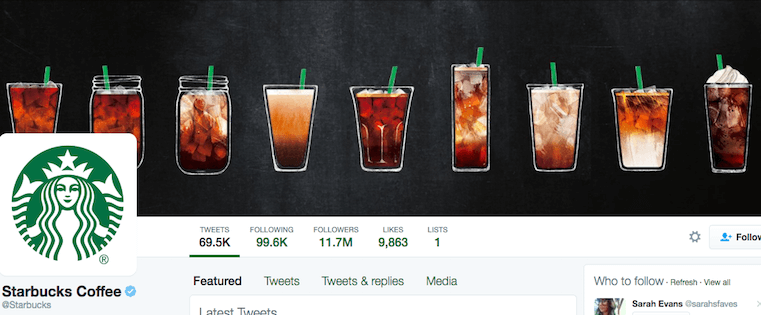
While almost all businesses understand that the egghead approach isn’t doing them any justice, they often fail to understand that a plain, flat Twitter cover photo can be equally as off-putting to potential followers.
While we all know that SlideShare is a highly visual platform, the most important aspect of any SlideShare presentation isn’t actually the design — it’s the story.
“Before you become a master presentation designer, you must be a great storyteller first,” writes Tourism Australia’s head of social Jesse Desjardins in his SlideShare presentation You Suck At PowerPoint! (which has 2 million+ views).

Have you ever watched TV while simultaneously surfing the internet on your phone?
I do it all the time — and my guess is that a lot of you do, too. Nowadays, the majority of American consumers own multiple internet-connect devices like high-definition TVs, smartphones, tablets, and computers, and Nielsen finds that it’s fundamentally changing the way we watch television.

Every industry has its buzzwords, and web design is no different. If your head is spinning from seemingly endless jargon, or if you’re getting ready to redesign your company website and want to inform yourself on the most common technical terms in modern web design, then this is the list for you.
Here are 37 of the most popular technical terms and buzzwords we hear (or use) as we do website redesigns, organized from A to Z. Do you see one you’ve heard lately on this list?

You’ve written some really compelling copy for your website. Your product images are polished. Your overall site design is professional. And thanks to marketing initiatives like these ones, you’re getting traffic to your site.
So why is it that so few of those visitors are converting into leads and customers?
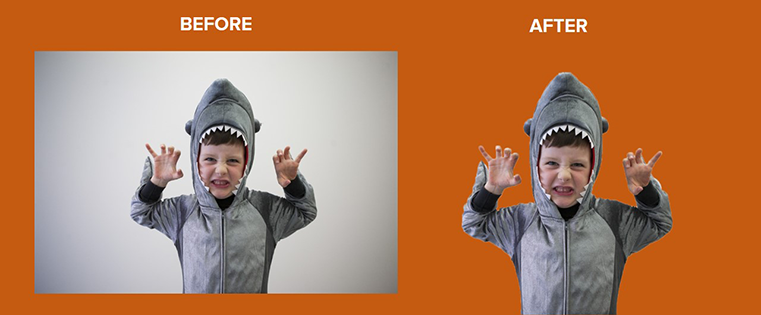
You know what one of my biggest design pet peeves is? When I’m trying to design something, but there’s an unwanted background on the image I’m using. Either I want to remove the photo background altogether, or I prefer a transparent background so the image assumes the look of any other background I put behind it.
Take the image on the left above, which is from our free, downloadable collection of holiday stock photos. That image would be so much more useful to my call-to-action, SlideShare presentation, blog post, or ebook if I could just remove that pesky background so it looked like the image on the right.

Conventional wisdom is usually the safe play. Why take risks when there’s an established “right way” to do things?
In marketing, however, success often falls to those willing to buck trends and experiment.
When it comes to optimizing your landing pages, complacency and assumption are your worst enemies.

“A picture is worth a thousand words.”
We’ve all heard this saying before, and to marketers, it’s becoming increasingly true. Images can help businesses suceed — tweets with images result in 18% more clicks, and 17% of marketers are planning to increase their use of visual assets in 2015.

In the perpetual race to stand out on social media, visual content is pulling in front and kicking up speed.
According to Socially Sorted, the image-focused Instagram is now surpassing Twitter in daily mobile traffic. And Facebook posts with images generate an estimated 53% more likes that solely text-based posts.